Download
Download a zipped BAS file with procedures for turning Status Bar on and more
Extract and save BAS file from the Zip file AFTER
unblocking the zip file to to remove Mark of the Web if necessary.
Steps:
https://msaccessgurus.com/MOTW_Unblock.htm
License
This may be used freely, but you may not sell it in whole or in part.
You may include it in applications you develop for others provided you keep attribution, mark your modifications, and share this source link.
VBA
module: bas_StatusBar_Access_s4p
Option Compare Database
Option Explicit
'*************** Code Start *****************************************************
' module name: bas_StatusBar_Access_s4p
' runs in Access
'-------------------------------------------------------------------------------
' Purpose  : VBA to turn StatusBar display ON in Access
'              includes procedures to see what current option value is
'              , write and clear message on the Status Bar
'              , test, and turn display of Status Bar OFF
' Author   : crystal (strive4peace)
' Code List: https://msaccessgurus.com/code.htm
' This code: https://msaccessgurus.com/VBA/StatusBar.htm
' LICENSE  :
'   You may freely use and share this code, but not sell it.
'   Keep attribution. Mark your changes. Use at your own risk.
'-------------------------------------------------------------------------------
'     Procedures in this module:
'  SUBs
'     StatusBar_On
'     StatusBar_MsgBoxSetting
'     StatusBar_Off
'
'     StatusBarSet
'     StatusBarClear
'     testStatusBar
'  FUNCTION
'     StatusBar_IsShowing
'-------------------------------------------------------------------------------
'                       StatusBar_On
'-------------------------------------------------------------------------------
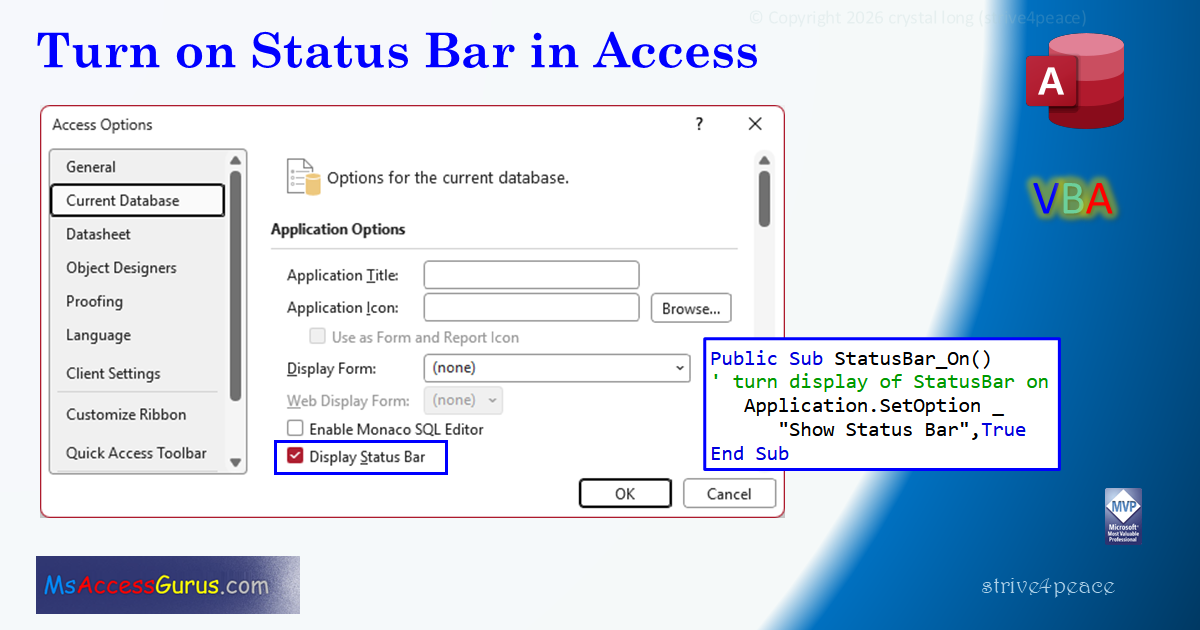
Public Sub StatusBar_On()
'260409
' turn display of StatusBar on
   Application.SetOption _
      "Show Status Bar",True
End Sub
'-------------------------------------------------------------------------------
'                       StatusBar_MsgBoxSetting
'-------------------------------------------------------------------------------
Public Sub StatusBar_MsgBoxSetting()
'260410
' display MsgBox with value of Show Status Bar
   Dim sMsg As String
   sMsg =  "Show Status Bar: " _
      & Application.GetOption( _
      "Show Status Bar")
   MsgBox sMsg
End Sub
'-------------------------------------------------------------------------------
'                       StatusBar_IsShowing
'-------------------------------------------------------------------------------
Public Function StatusBar_IsShowing() As Boolean
'260409
'return True if StatusBar is displayed
'        or False if it isn't
   StatusBar_IsShowing = Application.GetOption( _
      "Show Status Bar")
End Function
'-------------------------------------------------------------------------------
'                       StatusBar_Off
'-------------------------------------------------------------------------------
Public Sub StatusBar_Off()
'260409
' turn display of StatusBar off
   Application.SetOption _
      "Show Status Bar",False
End Sub

'-------------------------------------------------------------------------------
'                       StatusBarSet
'-------------------------------------------------------------------------------
Public Sub StatusBarSet(psMessage As String)
'160920
   'display message on status bar
   SysCmd acSysCmdSetStatus,psMessage
End Sub
'-------------------------------------------------------------------------------
'                       StatusBarClear
'-------------------------------------------------------------------------------
Public Sub StatusBarClear()
'160920
   'clear status bar
    SysCmd acSysCmdClearStatus
End Sub
'-------------------------------------------------------------------------------
'                       testStatusBarSet
'-------------------------------------------------------------------------------
Private Sub testStatusBar()
'260411
   'CALLs
   '  StatusBar_IsShowing
   '  StatusBar_On
   '  StatusBarSet
   '  StatusBarClear
   Dim sMsg As String

   If Not StatusBar_IsShowing Then
      sMsg =  "Status Bar isn't showing" & vbCrLf _
         & vbCrLf &  "Yes to turn on and show message" _
         & vbCrLf &  "No to stop"
      If MsgBox(sMsg _
         ,vbYesNo _
         , "Can't display message") <> vbYes _
      Then
         Exit Sub
      Else
         Call StatusBar_On
      End If
   End If
   Call StatusBarSet( "this is a test message")
   MsgBox  "Status Bar set, press OK to clear"
   Call StatusBarClear
End Sub
'*************** Code End *******************************************************
Code was generated with colors using the free
Color Code add-in for Access
Goto Top